HyperText Transfer Protocol (HTTP)
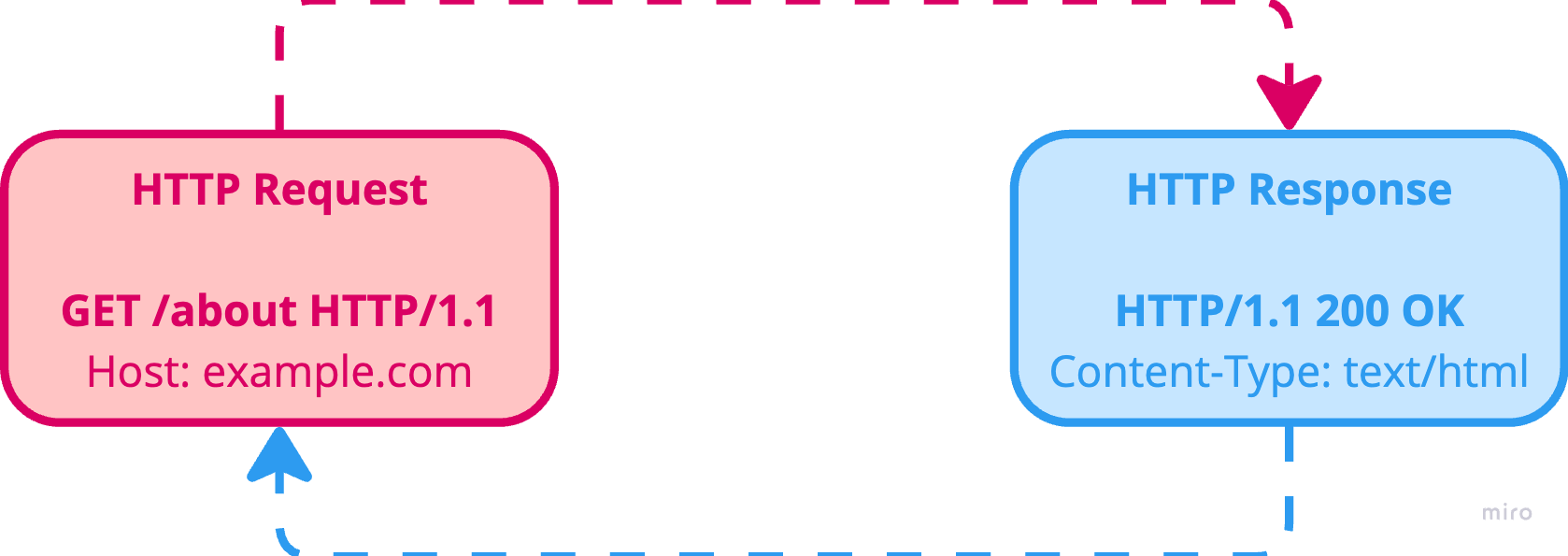
HTTP Requests
GET /index.html HTTP/1.1
Host: localhost:3000
Accept-Language: en-us
POST /contact_form.php HTTP/1.1
Host: developer.mozilla.org
Content-Length: 64
Content-Type: application/json{
  "first_name": "Grant",
  "last_name": "Davis",
  "age": 28,
  "email": "grantdavis303@gmail.com",
  "password": "Password123!"
}
HTTP requests are broken down into three main parts (or blocks):
- The Request Line - The first line contains a request method, followed by its parameters: the path of the document as an absolute URL without the protocol or domain name, and then the HTTP protocol version.
- HTTP Request Method - Used to specify what the request wants to do (retrieve, add, update, delete etc).
- Path - The particular path the request should go.
- HTTP Protocol Version - Which version of HTTP the request uses (commonly HTTP/1.1).
- The Header Block - Gives the server information about what type of data is appropriate (what language, what MIME types), or other data altering its behavior (not sending an answer if it is already cached). These HTTP headers form a block ending with an empty line.
- The Request Body / Payload (Optional) - May contain further data, and is mainly used by the POST, PUT, PATCH, and DELETE methods to send JSON to the server.
Different HTTP Request Methods
- GET* - Reads or retrieves the resource.
- POST** - Creates a new resource.
- PUT** - Fully modifies or replaces the resource.
- PATCH** - Partially modifies the resource.
- DELETE** - Deletes the resource.
- HEAD - Asks for a response identical to a GET request, but without a response body.
- OPTIONS - Describes the communication options for the target resource.
- TRACE - Performs a message loop-back test along the path to the target resource.
- CONNECT - Establishes a tunnel to the server identified by the target resource.
* Parameters are sent to the server in the URL.
* Parameters are sent to the server in the request body / payload.
* A change is made to the server.
Some Notes on GET and POST Requests
GET Requests:
- GET requests can be cached.
- GET requests remain in the browser history.
- GET requests can be bookmarked.
- GET requests should never be used when dealing with sensitive data.
- GET requests have length restrictions.
- GET requests are only used to request data (not modify).
POST Requests:
- POST requests are never cached.
- POST requests do not remain in the browser history.
- POST requests cannot be bookmarked.
- POST requests have no restrictions on data length.
Common HTTP Request Headers
Headers contain metadata about the request.
- Host (Mandatory) - Specifies the host and port number of the server which the request is being sent. If no port is included, the default port for the service requested is implied (80 for HTTP and 443 for HTTPS).
- Accept - Defines the media types that the client is able to accept from the server.
Accept: application/json, text/html. - User-Agent - Identifies the web browser or client application that is making the request, which enables the server to tailor its response to the client. For instance, if the User-Agent header indicates that the request is coming from the Chrome web browser, the server may include CSS prefixes for CSS properties that are compatible with Chrome.
- Authorization - Used to send the client's credentials to the server when the client is attempting to access a protected resource. For instance, the client might include a JSON Web Token (JWT) as the value of the header, which the server will then verify before returning the requested resource.
- Content-Type - Identifies the media type of the content in the request body. For instance,
Content-Type: application/jsonindicates that the request body contains JSON data. This information helps the server successfully interpret and process the payload. - Cookie - Stored on the client, and used to send previously stored cookies back to the server. The server then uses these cookies to associate the request with a specific user or session. This header plays an important role in delivering personalized experiences, as it enables the server to remember a user's login state or language preference.
HTTP Responses
HTTP/1.1 200 OK
Content-Type: text/html; charset=utf-8
Content-Length: 55743
Connection: keep-alive
Cache-Control: s-maxage=300, public, max-age=0
Content-Language: en-US
Date: Thu, 06 Dec 2018 17:37:18 GMT
ETag: "2e77ad1dc6ab0b53a2996dfd4653c1c3"
Server: meinheld/0.6.1
Strict-Transport-Security: max-age=63072000
X-Content-Type-Options: nosniff
X-Frame-Options: DENY
X-XSS-Protection: 1; mode=block
Vary: Accept-Encoding,Cookie
Age: 7<!DOCTYPE html>
<html lang="en">
<head>
  <meta charset="utf-8">
  <title> A Simple Web Page </title>
</head>
<body>
  <h1> Simple HTML Web Page </h1>
  <p> Hello, world! </p>
</body>
</html>
HTTP responses are broken down into three main parts (or blocks):
- The Status Line - The first line contains an acknowledgement of the HTTP version used, followed by a response code and its brief meaning in human-readable text.
- HTTP Protocol Version - Which version of HTTP the request uses (commonly HTTP/1.1).
- HTTP Status Code - Indicates if a specific HTTP request has been successfully completed or not.
- Status Text - A human-readable message associated with the status code.
- The Header Block - Gives the client information about the data sent. For example, type, data size, compression algorithm used, hints about caching etc. These HTTP headers form a block ending with an empty line.
- The Response Body / Payload (Optional) - May contain further data, and can be anything from a web page (HTML), JSON from an API, an image file, or any other data specified by the request.
Different HTTP Response Status Codes
- (100-199) Informational Responses - The request has been received and the process is continuing.
- (200-299) Successful Responses - The action was successfully received, understood, and accepted.
- (300-399) Redirection Messages - Further action must be taken in order to complete the request.
- (400-499) Client Error Messages - The request contains bad/incorrect syntax or cannot be fulfilled.
- (500-599) Server Error Messages - The server failed to fulfill an apparently valid request.
Common HTTP Response Headers
- Content-Type - The counterpart of the Content-Type request header, as it indicates the type of data that the server is sending to the client. The header value typically includes the media type (such as text/html, application/json, image/jpeg, and audio/mp3), as well as any optional parameters.
- Cache-Control - Controls caching behavior in the client's browser or intermediate caches. It defines how the response can be cached, when it expires, and how it should be revalidated. For example,
Cache-Control: max-age=3600, publicinstructs the client to cache the response for a maximum of 3600 seconds (1 hour) and allows caching by public caches. - Server - Includes the name and version of the server software that generated the response, as well as information about the server's technology stack. For instance,
Server: Apache/2.4.10 (Unix)indicates that the response was generated by the Apache web server version 2.4.10. It's important to note that the Server header is information and doesn't affect the API's functionality. - Set-Cookie - Instructs the client to store a cookie with the specified name, value and additional attributes, such as expiration, domain, path, and security flags. The client will then include the cookie in subsequent requests in order to facilitate stateful communication and personalized experiences.
- Content-Length - Specifies the size of the response in bytes and can help the client anticipate how much data it is going to receive. This improves performance by allowing the client to plan in advance for more efficient memory allocation and data processing.